Web Hosting User Guide - Email - Adding Email Forwarder
This section will guide you how to start adding email forwarder, all of our hosting account are given unlimited forwarders.

To access your online email control panel, key in
' http://mail.yourdomain.com ' , for example if the domain is hostsg.com , it will be ' http://mail.hostsg.com '

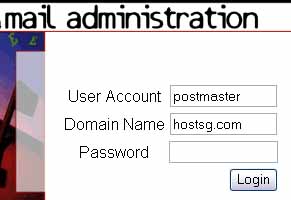
You will access a page as shown above. Leave postmaster intact, key in your domain name without the WWW, and password as given in the account activation email you received from HostSG

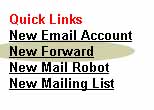
To start adding new email forward, select ' New Forward ' under Quick Links.

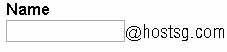
Name field, state the name of this account where you would want any sender to this email to be forward to.
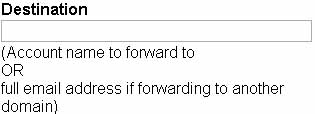
Destination means the email address this account should be forward to.
Example Scenario
If you wanted sales@hostsg.com to forward to sales@abc.com ,
key in 'sales' at the Name field, and sales@abc.com at Destination field.
Your email forwarder will be added after you finish this procedure.
|
WE CAN HELP
Want to find out more about our hosting solution? |
 |
 Call us at : +65 6305 9999 Call us at : +65 6305 9999
Email us
|
|
Warning: include(sidebanner.htm): failed to open stream: No such file or directory in /home/hostsg/public_html/support/adding_email_forwarder.php on line 145
Warning: include(sidebanner.htm): failed to open stream: No such file or directory in /home/hostsg/public_html/support/adding_email_forwarder.php on line 145
Warning: include(): Failed opening 'sidebanner.htm' for inclusion (include_path='.:/opt/cpanel/ea-php73/root/usr/share/pear') in /home/hostsg/public_html/support/adding_email_forwarder.php on line 145
|